
Every customer success tool has “AI” on its homepage now. Open a few and you’ll find the same summary button in a dozen different colours.
Some of it is useful, though. The right AI tools for customer success can flag a churn risk weeks before the cancellation, write up a call before you’ve closed the tab, and answer the support question nobody on your team wants to answer for the fortieth time.
So I sorted the 12 AI tools worth paying for (or using free) by the job they do: spotting churn risk, onboarding, calls and email, support, everyday writing and thinking, and turning happy customers into advocates. For each one you’ll get what the AI actually does, what it costs (including the numbers vendors don’t publish), and where it falls short.
The best AI tools for customer success at a glance
| Tool | Best for | What the AI does | Starting price | Free plan | G2 rating |
|---|---|---|---|---|---|
| Senja | Customer delight and advocacy | Testimonial analysis, AI case studies and testimonial videos | Free, paid from $29/month | Yes | I’m not grading myself |
| ChurnZero | Churn risk, mid-market | ~20 agents for risk, sentiment and success plans | Quote-only (reported ~$44k/year) | No | 4.7 |
| Gainsight | Churn risk, enterprise | Sentiment from every email and call, drafted outreach | Quote-only (reported ~$50k/year) | No | 4.5 |
| Vitally | Churn risk, startups | Cited account summaries, meeting recorder | Quote-only (reported ~$35k/year) | No | 4.5 |
| Dock | Onboarding | Builds onboarding workspaces, answers customers in them | Free, paid from $350/month | Yes | 4.7 |
| Fathom | Customer calls | Call summaries, action items, follow-up drafts | Free, paid from $16/user/month | Yes | 5.0 |
| Gong | Renewals and expansion | Renewal and risk signals from every interaction | Quote-only (reported ~$55k/year) | No | 4.7 |
| Mixmax | Customer email | AI drafts, send-time timing, engagement signals | Free, paid from $29/user/month | Yes | 4.6 |
| Intercom Fin | Support | Resolves conversations end to end | $0.99 per resolved conversation, plus seats | No (14-day trial) | 4.5 |
| Zendesk AI | Support, if you use Zendesk | AI agents, plus Copilot for your human team | From $55/agent/month, plus resolutions | No (14-day trial) | 4.3 |
| ChatGPT | Everyday writing and analysis | Drafts, summaries, feedback themes | Free, Plus $20/month | Yes | 4.7 |
| Claude | Long documents and careful writing | Drafts, long-document analysis | Free, Pro $20/month | Yes | 4.6 |
The reported figures are median contract values from Vendr, so smaller teams often pay less. AI pricing is moving fast (ChurnZero, Gainsight, Intercom and Zendesk all changed theirs in 2026), so check before you sign.
How customer success teams actually use AI
Before the tools, here’s where AI earns its keep in customer success today. If a tool doesn’t help with one of these five jobs, it’s probably a summary button.
Spotting churn risk earlier
A health score used to be a formula someone in ops built in 2021 and nobody dared touch. AI health scoring reads the messier signals too: the tone of the last three support tickets, a champion who stopped joining calls, usage that’s flat when it should be growing. Sentiment analysis across emails and calls is the biggest change, because it catches the customer who says “all good!” in every QBR while their team quietly stops logging in.
Prepping for and recapping customer calls
This is the most common way CSMs use AI, and the easiest win. A meeting assistant records the call, writes the summary, pulls out action items and drafts the follow-up email. Before the next call, it can brief you on everything that happened since the last one. It saves real hours every week, and your customers get follow-ups the same afternoon instead of three days later.
Onboarding customers at scale
Onboarding is where a lot of churn gets decided, and it’s the hardest thing to personalise when one CSM owns 80 accounts. AI helps by drafting onboarding plans from a sales handoff, nudging customers who stall on a step, and answering “how do I…” questions inside a shared workspace instead of your inbox.
Answering support questions before they become tickets
AI agents now resolve a meaningful share of routine support conversations on their own. That matters to customer success because every password reset an AI agent handles is time your team spends on renewals, expansion and the customers who need a human.
Finding the customers worth thanking and asking
The fifth job gets the least attention. Somewhere in your customer list are people who just upgraded, just hit their first year with you, or just left you a glowing review. AI can mine thousands of reviews and testimonials for why customers love you, and turn one customer’s story into a case study in seconds. The thanking, though, still needs you. More on that further down.
AI for churn risk and health scores
These are full customer success platforms with AI built in. If you want the deeper platform comparison (health scores, playbooks, renewals), it’s in my roundup of the best customer success software. Here I’m only looking at what their AI does.
1. ChurnZero — best AI agents for mid-market CS teams
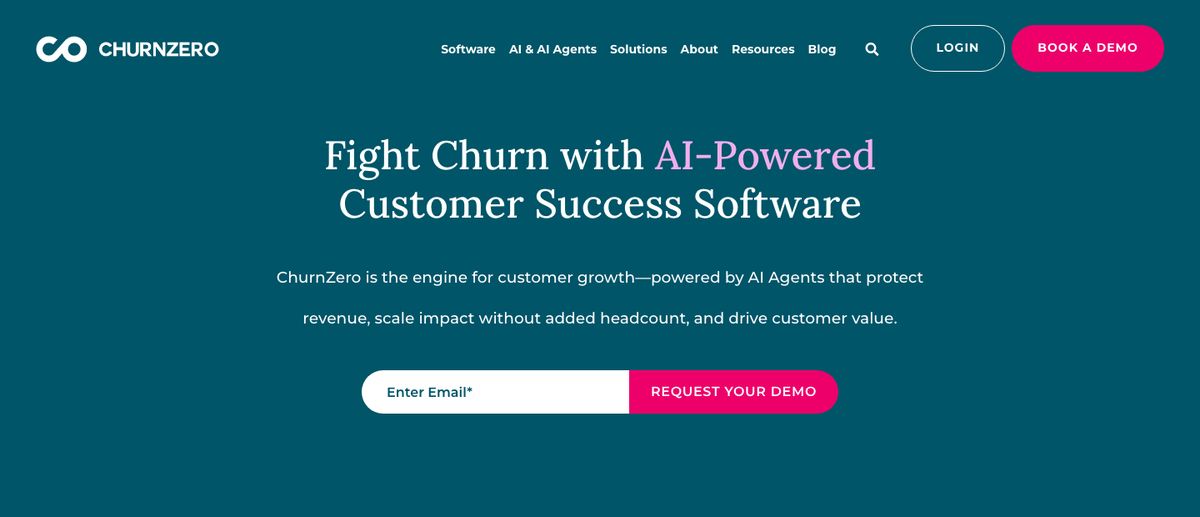
ChurnZero has gone further with AI agents than anyone else in this category. Its homepage lists around 20 of them, each with one job, plus an assistant called Kit that answers questions about your accounts.
What the AI does:
-
Kit answers “which accounts need me this week?”, drafts emails and builds customer segments from a plain-English request
-
Agents watch for relationship risk and sentiment shifts, build success plans, and turn long email threads into action items
-
Retrospective writes up why a customer churned, with a confidence score, and Transfer briefs the next CSM when an account changes hands
Pricing: Quote-only. Vendr reports a median contract of around $44,000/year. Most of the AI agents come in Agentic Essentials, launched in June 2026, which is a separate annual subscription (a flat fee plus usage credits) on the Professional and Enterprise editions.
Watch out for: G2 reviewers mention a steep learning curve, especially building segments and filters, and reporting that’s hard to get right. Budget for the AI subscription on top of the platform.
G2 rating: 4.7/5
2. Gainsight — best AI for enterprise CS organisations
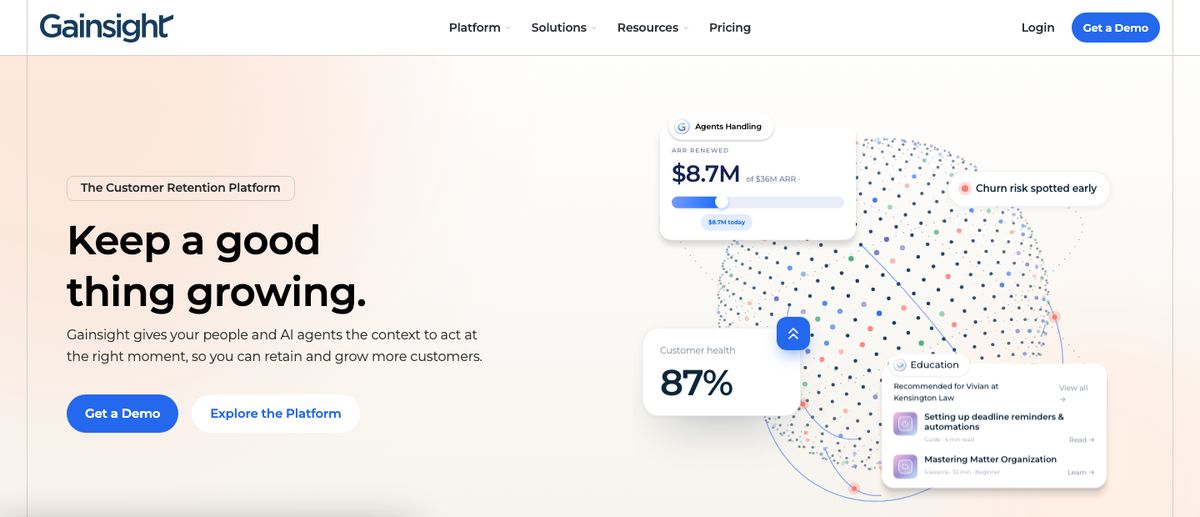
Gainsight created the customer success platform category and is rebuilding itself around AI. Staircase AI, the conversation intelligence company it bought, now comes included with Gainsight CS.
What the AI does:
-
Staircase AI reads emails, calls, tickets and Slack to score sentiment and relationship health, so you hear about a cooling champion before the renewal call
-
The CSM Adoption Agent studies usage, success plans and goals, then drafts outreach as Gmail drafts for you to approve
-
Agent Studio (in beta) turns workflows you describe in plain English into reusable agent skills
Gainsight also sells Atlas, a service where Gainsight’s own team runs renewals for your long-tail accounts. That’s AI-assisted outsourcing rather than a tool, but worth knowing about if you have thousands of small accounts.
Pricing: Quote-only, and moving from per-seat pricing to pricing by ARR and number of customers managed. Vendr reports a median contract of around $49,500/year, with implementation often adding 20–40% in year one.
Watch out for: Reviewers consistently describe complex setup and a steep learning curve. You’ll want an admin.
G2 rating: 4.5/5
3. Vitally — best AI summaries for startups
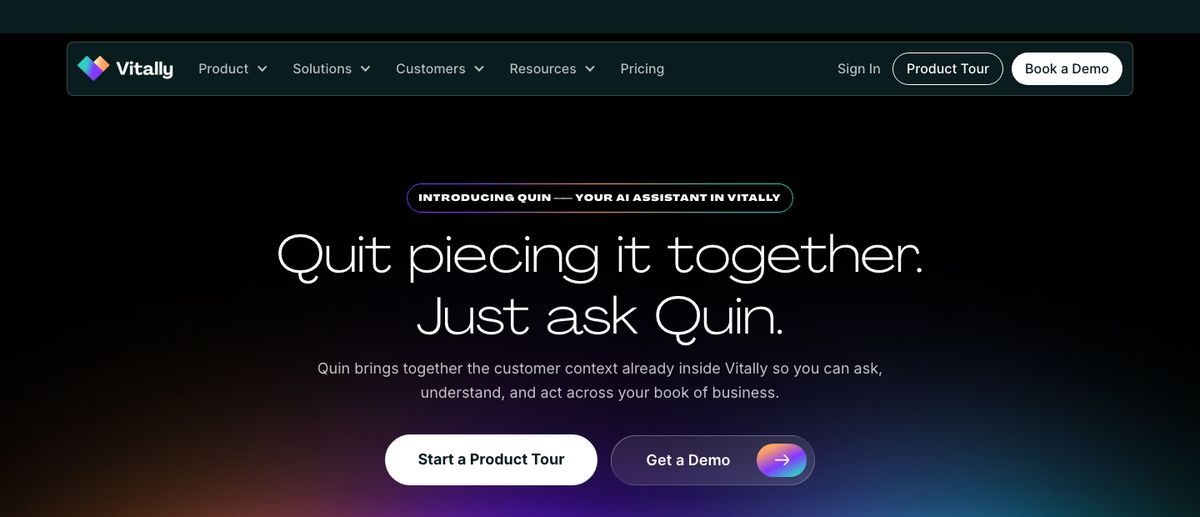
Vitally is the modern, Notion-like CS platform startups tend to pick first. Its AI sticks to the jobs CSMs do every day rather than chasing agents.
What the AI does:
-
AI Account Summaries write a cited brief on each account, flagging churn risk, expansion signals and sentiment
-
Ask AI answers questions about your customer base, and AI Actions create tasks and notes and pull product requests out of conversations
-
The AI Meeting Recorder (part of the paid AI+ add-on) records calls, writes overviews and drafts follow-ups inside Vitally
Pricing: Quote-only. Vendr reports a median contract of around $35,000/year, and AI+ costs extra. You can get a trial sandbox through their sales team.
Watch out for: G2 reviewers mention complexity and integration issues. Like every platform here, the AI is only as good as the data you feed it.
G2 rating: 4.5/5
AI for onboarding
4. Dock — best for AI-built onboarding workspaces
Dock gives every customer a shared workspace: their onboarding plan, documents, videos and next steps in one link. Its AI does the setup work that usually eats a CSM’s first week with a new account.
What the AI does:
-
Turns call notes and CRM data into a ready-made onboarding workspace from your template
-
Buyer AI Chat answers customers’ questions inside their workspace, using only the content you’ve shared with them
-
Updates plans, suggests next steps and drafts follow-ups, with an Agent Builder (launched June 2026) for custom agents on higher plans
Pricing: Published, which is rare here. Free plan, then Standard at $350/month for 5 users and Premium at $1,000/month (billed annually) for 10 users. Customers you invite are free, and AI is included without credits.
Watch out for: G2 reviewers mention limited customisation and missing features. Most of the pre-built agents are aimed at sales teams rather than CS.
G2 rating: 4.7/5
AI for customer calls and email
5. Fathom — best free AI meeting notes
Fathom is the meeting assistant I hear CSMs recommend most, and the free plan is generous enough to run on for months. Superhuman bought Fathom in September 2026, so expect it to connect more closely with email.
What the AI does:
-
Records and transcribes your calls, then writes a summary and action items as soon as the call ends
-
Drafts the follow-up email for you
-
Ask Fathom answers questions across every call with an account (“what did they say about the API last quarter?”)
Pricing: Published. Free plan with unlimited recordings and AI summaries. Premium is $16/user/month billed annually, and Business (with CRM sync) is $25/user/month billed annually.
Watch out for: Reviewers mention unwanted auto-recordings and glitches when restarting a recording. It’s built for video calls, so in-person meetings need a workaround.
G2 rating: 5.0/5
6. Gong — best for renewal and expansion intelligence
Gong started in sales, but plenty of CS teams use it now, especially where CSMs own renewals and expansion revenue.
What the AI does:
-
AI Briefer prioritises renewal and expansion opportunities across your accounts
-
AI Ask Anything answers questions about product gaps, competitors and risks using every recorded customer interaction
-
Account Console (launched early 2026) shows each account’s activity, risk signals and recommended next steps in one view
Pricing: Quote-only. Gong charges per user plus a platform fee. Vendr reports a median contract of around $55,000/year, roughly $1,200–$2,600 per seat per year.
Watch out for: It’s one of the most expensive tools here, and some reviewers regret signing multi-year contracts. Overkill if your CSMs don’t run commercial conversations.
G2 rating: 4.7/5
7. Mixmax — best for AI-written follow-ups in Gmail
Mixmax lives inside Gmail and helps with the email side of customer success: check-ins, renewal reminders and follow-up sequences.
What the AI does:
-
AI Compose drafts and rewrites emails and whole sequences from a short prompt
-
Smart Send times each email for when that recipient usually reads their inbox
-
Signals, including an AI Engagement Score, show which customers are opening, clicking and replying
Pricing: Published. Free plan for up to 50 recipients a month, then paid plans from $29/user/month billed yearly. AI is included on paid plans, and there’s a 14-day free trial with no card.
Watch out for: It’s built for Gmail first. Reviewers mention sync glitches and a weaker mobile experience.
G2 rating: 4.6/5
AI agents for support
8. Intercom Fin — best AI agent for support (and soon, success)
Fin is Intercom’s AI agent, and it’s now sold separately too, so you can run it on top of another help desk. For customer success, the interesting part is Fin for Success, which is in early access.
What the AI does:
-
Resolves support conversations end to end, including taking actions in your other systems
-
Fin for Success proactively onboards customers, nudges feature adoption, re-engages at-risk accounts and spots expansion opportunities
-
Copilot helps your human team answer faster with suggested replies
Pricing: Published. Fin costs $0.99 per outcome (one charge per conversation it resolves), with a monthly minimum. Intercom seats start at $19/seat/month billed annually, and Copilot is $29/agent/month extra. 14-day free trial.
Watch out for: Per-outcome billing makes monthly costs hard to predict, and pricing and upsells are the most common complaint on G2.
G2 rating: 4.5/5
9. Zendesk AI — best if you already run Zendesk
If your support team already lives in Zendesk, its AI is the obvious place to start before buying anything new.
What the AI does:
-
AI agents handle multi-step requests across email, chat and messaging, and take actions in your business systems
-
Copilot suggests replies, next steps and macros to human agents, and can rewrite replies in your tone
-
AutoQA scores every interaction and recommends coaching
Pricing: Published. Suite plans start at $55/agent/month billed annually. AI agents are billed per automated resolution: each agent seat includes 5 a month, then it’s $1.50 to $2.00 per resolution. Copilot is an extra $50/agent/month on Professional and above. 14-day free trial.
Watch out for: G2 reviewers mention slow support from Zendesk itself, a steep learning curve and weak reporting.
G2 rating: 4.3/5 (Zendesk Suite)
General AI assistants
10. ChatGPT — best all-round assistant
Most CSMs already use ChatGPT for something. With the prompts further down, it covers QBR prep, renewal emails, call recaps and feedback analysis without another login.
What the AI does:
-
Drafts and rewrites customer emails, success plans and QBR decks
-
Summarises long threads, transcripts and spreadsheets of customer data
-
Groups feedback into themes and pulls out representative quotes
Pricing: Free plan. Plus is $20/month, and Business (for teams, with your data kept out of training) is $20/user/month billed annually, with a two-seat minimum.
Watch out for: It makes things up when it doesn’t know, which is the top complaint on G2. Never send it customer data your company hasn’t approved for AI tools.
G2 rating: 4.7/5
11. Claude — best for long documents and careful writing
Claude does the same jobs as ChatGPT. CSMs who prefer it usually mention the writing, which needs less editing to sound human, and how it handles long inputs like a year of call transcripts or a big feedback export.
What the AI does:
-
Drafts customer emails and success plans that need less rewriting
-
Reads long documents in one go: contracts, transcripts, QBR decks
-
Analyses customer data and feedback you paste or upload
Pricing: Free plan. Pro is $20/month ($17/month billed annually), and Team starts at $25/seat/month ($20 billed annually).
Watch out for: Usage limits on the cheaper plans, and it can be more cautious than you’d like. Same rule as ChatGPT on customer data.
G2 rating: 4.6/5 (from fewer reviews)
AI for customer delight and advocacy
12. Senja — best for customer delight and advocacy
Full disclosure: Senja is my product. It’s also the tool on this list with the least AI in its newest features, and I’d rather say that up front than dress it up.
Senja is customer success software built on customer delight. The platforms above tell you which accounts are healthy. Senja connects to Stripe and shows you which customers deserve your attention right now, then helps you thank them and turn their wins into proof.
Where Senja uses AI:
-
AI testimonial analysis: mines thousands of testimonials and reviews to show why customers love you, in their own words
-
The Case Study Generator: turns a testimonial or a few interview notes into a full case study (challenge, solution, results) in seconds. There’s a free version that needs no sign-up
-
Proof Reels: AI testimonial videos that turn your best customer quotes into a captioned video, with 5 credits a month on paid plans
-
Natural-language search: describe the testimonial you need (“the fintech customer who cut churn”) and Senja finds it, including inside video transcripts
Where it doesn’t, on purpose:
Senja’s Customers page has a to-do list of customers worth acting on now. These are plain rules, not AI, and they’re the part I use most:
- Talk to people before they cancel: every subscription is set to end, so a kind note now could change their mind
- Thank new customers: first purchase in the last 14 days, not thanked yet
- Delight customers at a milestone: six months or another full year with you
- Ask happy customers for a testimonial: they upgraded or bought again in the last 30 days
- Ask your biggest customers for a testimonial: your top 10% by spend who haven’t left one
- Hide testimonials from churned customers: they stopped paying, but their testimonials still show on your widgets
Pick a to-do and one button thanks, invites or reviews everyone in it. Each customer also gets their own page with every purchase, testimonial, piece of feedback and thank you, plus a suggestion for the one thing most worth doing next.
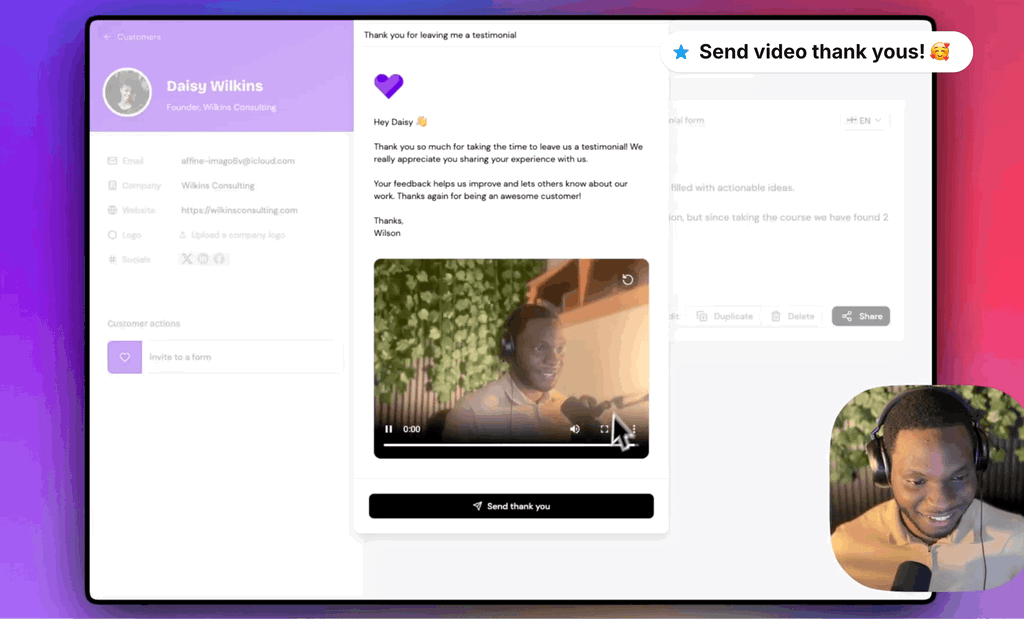
From there, Thank Yous let you send a personal note, video or GIF and attach e-gifts, coupons and discount codes, feature unlocks or a charity donation. You can see who opens and redeems every gift, get customer reactions in Slack, and keep the habit going with thank you streaks, the Heartometer and team leaderboards.
Pricing: Free plan (collect up to 15 testimonials, unlimited widgets and Walls of Love). Starter is $29/month and Pro is $59/month. No demo call, and pricing is public.
Watch out for: No health scores, churn forecasting or Salesforce, Intercom and Zendesk integrations. Need those? That’s Gainsight, ChurnZero or Vitally territory. Senja runs next to them.
AI prompts for customer success teams
You don’t need a new tool to start using AI in customer success. These prompts work in ChatGPT or Claude today. Paste in your own data, and always check the output before it goes anywhere near a customer.
QBR prep
You're my customer success analyst. Here are [Account]'s last 90 days of product usage, support tickets and call notes: [paste]. Write a one-page QBR brief: their wins with numbers, the risks I should raise, three questions to ask, and one expansion idea. Mark anything you're guessing.Churn-risk triage
Below are my notes on 20 accounts. Rank them by churn risk, highest first. For each, quote the exact line that worried you and suggest one next step I can take this week. [paste notes]Call recap to follow-up email
Here's the transcript of my call with [Name] at [Company]: [paste]. Write a follow-up email under 150 words: what we agreed, who owns each action, and the date of our next check-in. Keep their wording where you can.Renewal email
[Company] renews in 60 days. Their results this year: [paste metrics]. Write a short renewal email from me to [Name] that leads with their results, not our product, and asks for 20 minutes to plan next year. No discounts.Onboarding plan from a sales handoff
Here are the sales notes for our new customer [Company]: [paste]. Draft a 30-day onboarding plan with weekly milestones, tied to the goals they told sales about. Flag anything sales promised that we need to confirm.Feedback themes
Here are 200 pieces of customer feedback from the last quarter: [paste]. Group them into themes, count how often each comes up, and give me the three quotes that best represent each theme. Separate praise from complaints.Testimonial ask
[Name] just [milestone, e.g. renewed for a second year / hit 10,000 orders]. Write a short, warm message congratulating them and asking if they'd share a few words about working with us. Give them two easy questions to answer. Under 80 words.Thank-you note
Draft a thank-you note to [Name] for [specific thing they did]. Mention [one detail only we'd know]. Under 60 words. Don't use the words "valued", "journey" or "partnership".Then rewrite that last one in your own words. Customers can tell when a thank you came out of a prompt, and it costs you the exact goodwill you were trying to build.
What AI can’t do in customer success
When I connected Senja to our own Stripe account, fewer than 3% of our customers had ever left a testimonial. Nearly 500 of our biggest spenders hadn’t been asked in months, and another 200 had just reached six months or a year with us without anyone noticing.
No AI tool caused that, and no AI tool was going to fix it. We’d never looked.
That’s the gap in most AI customer success stacks. AI is excellent at the work around the customer: notes, summaries, risk flags, first drafts. It’s poor at the part customers remember, which is feeling noticed by an actual person. A health score can tell you someone’s at risk. It can’t send them a personal thank you with a gift card attached, from someone they’ve spoken to.
So the best setup I’ve seen uses AI to find the right customer at the right moment, and a human to do the thanking. Let the AI watch thousands of accounts. Then spend your own five minutes on the one that just renewed for a third year.
How to choose AI tools for your customer success team
Buy AI for a job your team already does badly or slowly. Don’t buy it to have AI.
-
Solo founder or no CS team yet: ChatGPT or Claude with the prompts above, Fathom’s free plan for calls, and Senja’s free plan to see who to thank. That’s a real customer success stack for roughly $20/month
-
Small CS team (2–5 people): Vitally for health scores and AI summaries, a meeting assistant for every CSM, and Senja to make delight a team habit. Add Intercom Fin or Zendesk AI once support volume starts eating CSM time
-
Mid-market and enterprise: ChurnZero or Gainsight for AI health scoring and agents, Gong if renewals and expansion are run like sales, and Dock if onboarding involves several people on the customer’s side
Whichever tools you pick, give each one a single job and measure it. “Follow-ups sent the same day” or “tickets resolved without a human” tell you whether the AI is working. “We have AI now” doesn’t.
FAQs about AI tools for customer success
What are the best AI tools for customer success?
It depends on the job. For churn risk and health scores, ChurnZero and Gainsight have the deepest AI built in, and Vitally is the easiest to start with. For calls, Fathom (free) and Gong (enterprise). For support, Intercom Fin and Zendesk AI. For thanking customers and turning their wins into proof, Senja. Most teams use two or three of these together rather than one platform for everything.
How can AI be used in customer success?
AI in customer success does five main jobs: predicting churn from usage and sentiment, summarising calls and drafting follow-ups, personalising onboarding, answering routine support questions, and finding happy customers to thank or ask for a testimonial. The biggest time savings usually come from call summaries and support deflection.
Are there free AI tools for customer success?
Yes. ChatGPT and Claude both have free plans that handle QBR prep, email drafts and feedback analysis. Fathom records and summarises calls for free. Senja’s free plan lets you collect up to 15 testimonials and share them with unlimited widgets and Walls of Love. The dedicated CS platforms (Gainsight, ChurnZero, Vitally) don’t have free plans.
Will AI replace customer success managers?
No, but it’s changing the job. AI handles more of the admin (notes, summaries, routine tickets, risk flags), which leaves CSMs with the parts that need a person: hard conversations, renewals, expansion and making customers feel looked after. CSMs who use AI well will cover more accounts without the relationships getting thinner.
What is a customer success AI agent?
A customer success AI agent is software that takes actions on its own rather than only answering questions. It might draft and send a check-in when usage drops, update an account’s health score after a call, or resolve a support ticket end to end. Gainsight, ChurnZero, Intercom and Zendesk all sell AI agents now. Keep a human approving anything that goes to a customer until you trust what it sends.
Find the customers worth thanking
AI can tell you who’s at risk. Senja shows you who deserves a thank you today, then helps you send it with personal notes, videos, gifts, coupons and feature unlocks, and turns their wins into testimonials that bring in your next customers.
It’s free to start, and it takes minutes to thank your first customer. Start delighting customers today.